

How Portable Monitors Work?
2026-06-25
Article Abstract
Portable monitors have become essential tools for modern professionals, gamers, and remote workers who need flexible multi-screen setups without the burden of traditional bulky displays. This article explains how portable monitors work, what problems they solve, how to choose the right model, and what key technical factors matter most. It also highlights real-world applications, connectivity standards, and purchasing considerations to help users make informed decisions.
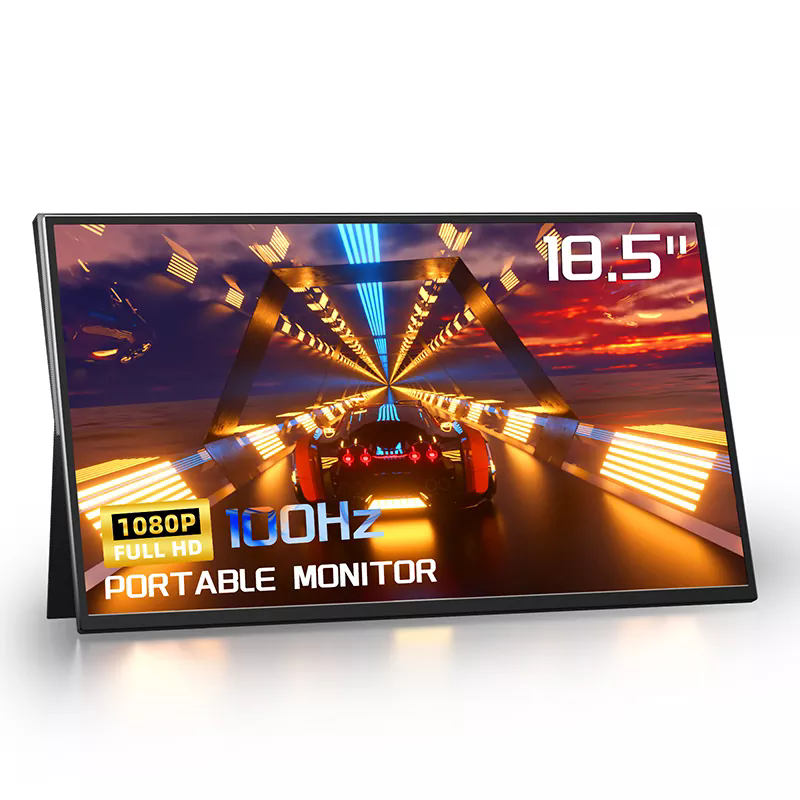
Table of Contents
Introduction
In today’s mobile-first work environment, productivity is no longer confined to a fixed desk. Portable monitors have emerged as a practical solution for extending screen real estate wherever you go. Whether you are working remotely, traveling for business, or gaming on a laptop, these lightweight displays solve a critical limitation of single-screen computing: constrained visual workspace.
Unlike traditional monitors, portable monitors are designed for mobility, low power consumption, and plug-and-play usability. They are widely used in corporate workflows, creative industries, and entertainment setups, offering flexibility without compromising display quality.
What Are Portable Monitors?
Portable monitors are slim, lightweight external displays that connect to laptops, smartphones, gaming consoles, and even tablets. They typically range from 13 to 17 inches and are powered via USB-C or USB-A connections, eliminating the need for bulky power adapters.
Unlike fixed monitors, they are engineered for mobility, often featuring:
- Ultra-thin LCD or LED panels
- Built-in stands or foldable covers
- USB-C single-cable connectivity
- Low power consumption designs
Manufacturers such as Shenzhen Sixing Technology Holding Co., Ltd. specialize in advanced portable display solutions that focus on balancing performance, portability, and visual clarity for global users.
How Portable Monitors Work
Portable monitors function by receiving both video signals and power through digital interfaces, most commonly USB-C with DisplayPort Alt Mode or HDMI with external power input.
Core working mechanism includes:
- Signal Transmission: The host device sends video data through USB-C or HDMI.
- Display Processing: The monitor’s internal controller converts digital signals into visible pixels.
- Power Supply: Power is delivered via the same cable (USB-C) or a secondary cable depending on the model.
- Screen Rendering: The LCD panel renders images in real-time, synchronizing with the host device.
This seamless integration allows portable monitors to behave like secondary displays without requiring complex driver installations.
Key Benefits and User Pain Points Solved
Portable monitors address several common productivity challenges faced by modern users:
- Limited screen space: Expands desktop workspace for multitasking.
- Travel inefficiency: Lightweight design makes them easy to carry.
- Remote work constraints: Enables dual-screen setups anywhere.
- Gaming limitations: Provides immersive secondary display options.
- Presentation needs: Useful for on-the-go demonstrations.
By solving these issues, portable monitors significantly improve workflow efficiency and reduce dependence on fixed office environments.
Common Use Cases
Portable monitors are versatile tools used across multiple industries and lifestyles:
- Business Professionals: Multi-tasking with spreadsheets, emails, and video calls simultaneously.
- Software Developers: Coding on one screen while testing or debugging on another.
- Designers: Editing visuals while keeping tool panels separate.
- Gamers: Extending console or PC gaming experiences.
- Students: Researching and writing simultaneously.
Their adaptability makes them one of the fastest-growing categories in display technology.
How to Choose the Right Portable Monitor
Selecting the right portable monitor depends on several technical and practical factors:
- Screen Size: 13–15 inches for mobility, 15–17 inches for productivity.
- Resolution: Full HD is standard; 4K is preferred for designers.
- Panel Type: IPS panels provide better color accuracy and viewing angles.
- Brightness: Minimum 250–300 nits for indoor use; higher for outdoor environments.
- Connectivity: USB-C is preferred for simplicity and power delivery.
- Weight: Under 1kg is ideal for frequent travelers.
Choosing the right configuration ensures optimal balance between portability and performance.
Connectivity and Compatibility
Modern portable monitors support multiple connection standards to maximize compatibility:
- USB-C (DisplayPort Alt Mode): Single cable for power and video.
- HDMI: Universal compatibility with laptops and consoles.
- Thunderbolt 3/4: High-speed data and power transmission.
Most devices today automatically detect external displays, allowing plug-and-play functionality without additional software installation.
Shenzhen Sixing Technology Holding Co., Ltd. integrates advanced interface technologies in its product lineup to ensure seamless compatibility across operating systems and devices, including Windows, macOS, Android, and gaming consoles.
Common Issues and Troubleshooting
Although portable monitors are generally reliable, users may encounter occasional issues:
- No signal detected: Check cable compatibility and USB-C Alt Mode support.
- Low brightness: Ensure sufficient power supply from the host device.
- Screen flickering: Replace or upgrade HDMI/USB-C cable.
- Audio not working: Verify audio output settings on the host device.
Most issues can be resolved through basic configuration adjustments or using certified cables.
Future Trends
The portable monitor industry is evolving rapidly with technological advancements:
- Higher refresh rates for gaming applications
- OLED and mini-LED display integration
- Touchscreen functionality improvements
- Wireless display transmission technologies
- Ultra-light foldable screen designs
These innovations will further enhance mobility and visual performance, making portable monitors even more essential in hybrid work environments.
Conclusion
Portable monitors represent a significant shift in how users interact with digital workspaces. They combine mobility, performance, and convenience into a single device that adapts to modern professional and personal needs. From boosting productivity to enhancing entertainment experiences, their value continues to grow across industries.
Shenzhen Sixing Technology Holding Co., Ltd. continues to develop advanced portable display solutions that meet global demand for flexible and high-performance screen technology.
FAQ
Q1: Do portable monitors work with all laptops?
Most modern laptops support portable monitors via USB-C or HDMI, but compatibility depends on hardware support for video output.
Q2: Can portable monitors be used without power?
Some USB-C models can draw power directly from the connected device, but performance may vary.
Q3: Are portable monitors good for gaming?
Yes, especially models with low latency and high refresh rates designed for gaming performance.
Q4: Do they require software installation?
In most cases, no. They operate on plug-and-play functionality.
Q5: What is the lifespan of a portable monitor?
Typically several years depending on usage, build quality, and maintenance.
Final Call to Action:
If you are looking to upgrade your mobile workspace or integrate high-performance display solutions into your workflow, Shenzhen Sixing Technology Holding Co., Ltd. offers a wide range of portable monitors tailored for global users. For detailed product consultation, customization options, or partnership opportunities, please contact us today to explore the best solution for your needs.