

Article Summary
A 3.91 Outdoor Performance LED Rental Screen is designed to deliver bright, engaging visuals for outdoor concerts, festivals, sporting events, corporate gatherings, and temporary advertising installations. With a 3.91 mm pixel pitch, this type of LED display can balance image detail, viewing distance, screen size, and rental operating costs. However, choosing the right display involves more than comparing resolution or brightness. Event organizers must also consider weather protection, cabinet weight, installation speed, refresh rate, power requirements, control systems, and long-term maintenance. This guide explains how to evaluate, install, operate, and maintain a P3.91 outdoor rental LED screen to achieve dependable performance throughout demanding live events.
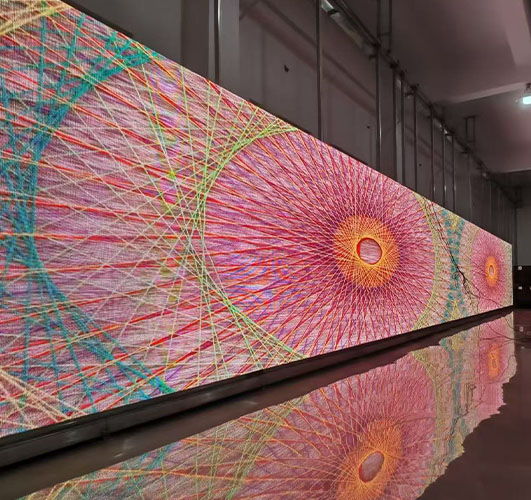
1. Understanding the 3.91 Outdoor Performance LED Rental Screen
Outdoor events demand visual equipment that can perform under changing light conditions, accommodate large audiences, and withstand repeated transportation. A 3.91 Outdoor Performance LED Rental Screen addresses these requirements through a modular display design that combines relatively fine pixel spacing with practical assembly and disassembly.
The term P3.91 refers to a pixel pitch of approximately 3.91 millimeters. Pixel pitch measures the distance between the centers of adjacent pixels. A smaller pitch generally produces higher pixel density and supports more detailed images at shorter viewing distances.
For a conventional P3.91 module measuring 250 × 250 mm, the resolution is typically 64 × 64 pixels. A 500 × 500 mm cabinet commonly provides 128 × 128 pixels, while a 500 × 1000 mm cabinet may provide 128 × 256 pixels. Actual configurations depend on the manufacturer's module and cabinet design.
Unlike a permanent outdoor billboard, a rental display is designed around temporary deployment. Cabinets can be connected into larger display surfaces, transported between venues, and reconfigured for different stage dimensions.
2. Why P3.91 Is a Practical Choice for Outdoor Events
Event production teams often face a familiar challenge: a screen must look impressive from the audience area without creating an unnecessarily expensive or complicated installation. P3.91 can provide a useful middle ground between image detail and project economics.
Balanced Image Detail
The 3.91 mm pixel pitch supports clear graphics, video playback, live camera feeds, sponsor logos, and stage visuals when the screen is viewed from an appropriate distance.
Outdoor Visibility
Outdoor configurations can use high-brightness LEDs to maintain image visibility under daylight conditions. Actual performance depends on measured brightness, ambient light, and screen orientation.
Modular Flexibility
Individual cabinets can be assembled into different screen dimensions, helping rental companies adapt inventory to concerts, exhibitions, sporting events, and temporary brand activations.
Reusable Equipment
When designed for repeated handling, rental cabinets and replaceable components can help production teams manage equipment across multiple projects.
For example, an outdoor concert may need a wide central stage screen, two side screens, and a smaller display for performers or production staff. A modular P3.91 system can support these layouts if the cabinet dimensions, rigging hardware, receiving equipment, and control system are compatible.
The best choice still depends on audience distance. If spectators stand very close to the display, a finer pixel pitch may provide smoother-looking text and graphics. If most viewers are far away, a larger pixel pitch may offer a more economical solution without sacrificing meaningful viewing quality.
3. Key Specifications Buyers Should Evaluate
Technical specifications help buyers compare products, but individual values should never be evaluated in isolation. A bright screen may still perform poorly if it has inadequate weather protection, inconsistent color reproduction, or a control system that cannot handle the intended resolution.
| Specification | What It Means | What Buyers Should Check |
|---|---|---|
| Pixel pitch | Distance between adjacent pixel centers | 3.91 mm and suitability for the expected viewing distance |
| Brightness | Light output, normally expressed in nits or cd/m² | Measured output, adjustment range, and outdoor visibility |
| Refresh rate | How frequently the display refreshes its image | Verified specification and compatibility with camera recording |
| IP protection | Resistance to dust and water under specified conditions | Front and rear protection, connectors, and installation requirements |
| Cabinet dimensions | Physical size of each modular panel | Compatibility with transport, rigging, and planned screen dimensions |
| Cabinet weight | Weight of each assembled cabinet | Total suspended load, handling needs, and support structure capacity |
| Power consumption | Electrical demand during operation | Average and maximum load, distribution, and circuit requirements |
| Maintenance access | How components can be inspected or replaced | Front or rear serviceability and spare-part availability |
Brightness and Daylight Readability
Direct sunlight can reduce perceived contrast, making brightness a major consideration for outdoor displays. Some outdoor P3.91 products specify brightness around 4,500–5,000 nits, but this is an illustrative market range rather than a guaranteed specification for every model.
Ask for the rated brightness of the exact configuration and consider automatic or manual dimming. Higher brightness is useful in strong daylight, while excessive brightness after sunset can cause glare, reduce viewing comfort, and consume unnecessary power.
Refresh Rate and Grayscale
A higher refresh rate can improve the appearance of moving images and reduce certain camera-related artifacts. Specifications such as 3,840 Hz are common in rental LED products, while other configurations may offer different values. A higher advertised refresh rate does not automatically guarantee flicker-free recording with every camera.
Grayscale performance also affects subtle color transitions, shadows, and low-light details. Buyers producing concerts or live broadcasts should request practical camera tests using the intended shutter settings and frame rates.
Weather Protection
Outdoor screens may encounter rain, dust, humidity, heat, and wind. Look for a clearly documented ingress protection rating and confirm whether it applies to the front, rear, or entire installed assembly. An IP65 front rating, for example, should not be interpreted as proof that every connector or exposed rear component is equally protected.
4. Where Outdoor Performance LED Screens Work Best
Concerts and Music Festivals
Live performance displays can show camera close-ups, artist visuals, synchronized graphics, event schedules, and sponsor messages. A P3.91 rental screen is particularly useful when the audience includes both nearby spectators and viewers positioned farther from the stage.
Sports Events and Fan Zones
Outdoor LED screens can present live footage, scores, replays, announcements, and promotional content. Fast-moving sports images benefit from appropriate refresh performance, well-configured video processing, and sufficient brightness for daytime viewing.
Corporate Events and Product Launches
Brands can use large LED walls for presentations, product demonstrations, branded backdrops, and live-streaming content. Uniform color and accurate scaling are important when corporate logos, product details, and text must appear professional.
Exhibitions and Temporary Advertising
Trade shows, outdoor exhibitions, roadshows, and promotional tours often require displays that can be installed quickly and reused at different venues. Modular rental cabinets make it easier to adapt screen size to changing floor plans and campaign requirements.
Public Gatherings and Community Events
Outdoor ceremonies, cultural festivals, and public information events can use LED displays to make announcements visible across larger spaces. Organizers should also plan for accessibility, clear sightlines, safe cable routing, and readable text from the farthest audience position.
5. How to Select the Right Screen Configuration
Choosing a suitable display starts with the event layout rather than the product catalogue. A screen that performs well at one venue may be unnecessarily costly or difficult to install at another.
Step 1: Calculate the Viewing Distance
Identify the nearest audience position, the typical viewing area, and the farthest relevant position. A P3.91 display is often considered for viewing distances of approximately four meters and beyond, but this is a practical guideline, not a strict technical limit. Content type, visual expectations, and individual perception all influence the result.
Step 2: Define the Screen Dimensions
Choose a width and height that suit the stage, audience, camera framing, and available rigging space. For example, a 6 m wide by 3 m high screen has an area of 18 m² and an aspect ratio of 2:1.
With 500 × 500 mm cabinets, that layout would require 12 cabinets across and 6 cabinets high, for a total of 72 cabinets, assuming a standard square grid with no special edge modules.
Step 3: Match the Environment
Confirm whether the screen will operate in direct sunlight, under partial shelter, or after dark. Review the required brightness, protection rating, operating temperature, humidity limitations, and any restrictions imposed by the venue.
Step 4: Review Structural and Electrical Requirements
Calculate the total screen weight and obtain the appropriate structural assessment for ground support or suspension. Estimate electrical demand using the manufacturer's actual power figures and include suitable distribution, protective devices, grounding, and cable management.
Step 5: Confirm the Control System
Check the supported input resolutions, processing capacity, receiving-card compatibility, signal distribution, redundancy options, and cable distances. Make sure the equipment can handle the complete screen rather than only a single cabinet.
6. Installation, Safety, and Weather Protection
Rental LED systems are designed to support efficient deployment, but fast assembly must never replace proper engineering or safety procedures. Outdoor installations introduce additional risks from wind, uneven surfaces, moisture, electrical exposure, and changing weather.
Prepare the Site Before Delivery
- Verify the available installation area and access routes.
- Confirm ground conditions and the capacity of the supporting structure.
- Review wind exposure and any applicable temporary-structure requirements.
- Plan safe electrical distribution, cable paths, and equipment protection.
- Provide suitable weather monitoring and emergency shutdown procedures.
Assemble Cabinets Carefully
Inspect cabinet edges, locking mechanisms, connectors, handles, and module surfaces before assembly. Connect cabinets according to the manufacturer's documented sequence, ensuring that mechanical locks engage correctly and the display surface remains aligned.
For suspended screens, use approved rigging components and a professionally verified suspension plan. For ground-supported walls, confirm that the support system, ballast, bracing, and anchoring arrangements are appropriate for the specific site and expected wind loads.
Protect Electrical Connections
Outdoor power and signal connections should be suitable for the operating environment. Use correctly rated connectors, cable protection, grounding, and residual-current protection where required by local regulations and the equipment design.
Respond to Changing Weather
Do not assume that a water-resistant display can safely operate in every storm. Follow the manufacturer's operating limits and the event's engineered weather plan. If wind, lightning, flooding, or other conditions exceed the approved limits, stop operation and secure or dismantle the installation as directed by the responsible safety personnel.
7. Content Management and Visual Performance
Even a technically capable LED wall can look disappointing when content is poorly prepared. Resolution mismatches, incorrect scaling, inconsistent brightness, and unsuitable color settings can undermine the audience experience.
Prepare Content for the Actual Pixel Canvas
For a typical P3.91 screen built from 500 × 500 mm cabinets, each cabinet provides 128 × 128 pixels. A 6 m × 3 m configuration using those cabinets would have a native canvas of approximately 1,536 × 768 pixels.
Content creators should use the screen's actual processor mapping and output resolution rather than assuming that every LED wall uses a standard 16:9 format. This helps avoid stretched graphics, cropped text, and misplaced visual elements.
Keep Text and Graphics Readable
- Use large, high-contrast typography for audience-facing messages.
- Avoid thin lines and tiny details that disappear at long viewing distances.
- Keep essential information away from screen edges and potential cropping zones.
- Use consistent color profiles and review gradients, skin tones, and brand colors.
- Test moving graphics and live camera feeds before the event begins.
Perform a Full-System Test
After installation, inspect the entire display for alignment, brightness uniformity, color consistency, dead pixels, signal interruptions, and unexpected flicker. Test all intended inputs and playback sources, and verify that backup content can be loaded quickly if the main source fails.
For broadcast or recorded events, test the screen through the actual cameras. Camera shutter speed, frame rate, scanning behavior, and processing settings can interact in ways that are not obvious when viewing the screen with the naked eye.
8. Maintenance and Troubleshooting
Repeated transportation and assembly can expose rental displays to vibration, connector wear, accidental impact, and dust accumulation. A consistent inspection process helps identify problems before they interrupt an event.
| Observed Problem | Possible Cause | Recommended Action |
|---|---|---|
| Dark cabinet or module | Loose connection, power fault, or module failure | Follow the approved isolation procedure and inspect connections and diagnostic indicators. |
| Uneven colors | Calibration differences, configuration errors, or aging components | Verify configuration and calibration settings, then inspect the affected modules. |
| Flickering image | Signal instability, incompatible settings, or power problems | Check the signal path, processor configuration, and power supply under qualified supervision. |
| Intermittent signal | Damaged cable, loose connector, or receiving-system issue | Inspect and test cables and connections using the manufacturer's procedure. |
| Moisture warning or water ingress | Environmental exposure or damaged seals | Stop use as appropriate, isolate power safely, and arrange inspection before restarting. |
Before Every Event
- Inspect cabinets, locks, connectors, and structural accessories.
- Test power and signal connections before installing the full wall where practical.
- Run a complete display test and inspect for dead pixels or uneven color.
- Check spare modules, cables, receiving cards, and essential tools.
- Confirm that technicians have access to configuration files and troubleshooting documentation.
After the Event
Power down equipment according to the manufacturer's instructions, disconnect components safely, and inspect cabinets before packing. Clean equipment using approved methods and store it in suitable transport cases under the specified environmental conditions.
Keep a record of faults, repairs, usage, and replacement parts. This information helps rental operators identify recurring issues, improve inventory planning, and reduce avoidable downtime.
9. Understanding Rental and Ownership Costs
The purchase price of a 3.91 Outdoor Performance LED Rental Screen is only one part of the total project cost. Buyers should also account for supporting equipment, transportation, installation, labor, maintenance, storage, and future component replacement.
For a rental business, cabinet durability, setup speed, inventory compatibility, and serviceability can influence profitability across many events. A display with a lower initial price may become more expensive if it requires frequent repairs or specialized accessories that cannot be shared with existing inventory.
For an event organizer using a screen only occasionally, hiring a complete system may be more practical than purchasing equipment. For companies running frequent productions, ownership may provide greater control over scheduling, configuration, and availability.
| Cost Category | Questions to Ask |
|---|---|
| LED cabinets | What is included, and are the quoted dimensions and specifications complete? |
| Control equipment | Are processors, sending systems, receiving cards, and required licenses included? |
| Installation | Are labor, rigging, structural support, and commissioning included? |
| Transport and storage | Are flight cases, loading arrangements, and warehouse requirements accounted for? |
| Maintenance | What spare parts, repair services, and warranty conditions are available? |
| Operating expenses | What are the expected electrical demand, staffing needs, and servicing costs? |
To estimate the electrical requirement, multiply the screen area by the manufacturer's specified average or maximum power consumption, depending on the calculation being performed. A 20 m² screen rated at an average of 320 W/m² would have an illustrative average load of 6.4 kW. At a maximum rating of 640 W/m², the corresponding theoretical maximum would be 12.8 kW. Actual system sizing must also consider power factor, distribution limits, startup behavior, and applicable electrical standards.
These figures are examples only. Use the confirmed specifications of the selected model and consult a qualified electrical professional before determining circuit capacity.
10. What to Confirm With Your LED Screen Supplier
A reliable supplier should be able to explain how the proposed display fits the event, not simply provide a price per cabinet. Clear technical documentation makes procurement, installation, and maintenance more predictable.
Before placing an order, request confirmation of the following:
- Product configuration: Exact pixel pitch, LED package, module resolution, cabinet dimensions, and cabinet weight.
- Optical performance: Brightness, refresh rate, viewing angles, grayscale capability, and calibration procedures.
- Environmental protection: Applicable IP rating, operating temperature, humidity limitations, and weather-related operating guidance.
- System compatibility: Supported processors, receiving cards, input formats, control software, and signal interfaces.
- Installation requirements: Cabinet locks, rigging accessories, ground-support options, structural documentation, and power distribution needs.
- Quality assurance: Factory testing procedures, inspection records, and relevant conformity documents for the destination market.
- After-sales service: Warranty coverage, technical assistance, spare-part availability, and repair arrangements.
ShenZhen Allenson Photoelectric Co., Ltd can be contacted through its official website for product information and project discussions. When evaluating any proposed LED display, buyers should confirm the exact model specifications, included accessories, and service terms directly with the supplier.
Providing a project brief with the required screen dimensions, viewing distance, event location, operating hours, content sources, and installation method can help the supplier recommend a more appropriate configuration.
11. Frequently Asked Questions
Q1. What does 3.91 mean in a 3.91 Outdoor Performance LED Rental Screen?
It refers to a pixel pitch of approximately 3.91 millimeters, measured between the centers of adjacent pixels. This spacing determines pixel density and helps indicate how detailed the image can appear at a given viewing distance.
Q2. Is a P3.91 LED screen suitable for outdoor concerts?
Yes, an appropriately specified outdoor P3.91 display can be suitable for concerts, festivals, and live performances. Buyers should verify brightness, weather protection, refresh rate, cabinet structure, control compatibility, and the audience's viewing distance.
Q3. How bright should an outdoor P3.91 rental screen be?
The required brightness depends on ambient light and screen placement. Some outdoor products offer approximately 4,500–5,000 nits, but the correct specification should be selected according to actual daylight conditions and the manufacturer's verified performance data.
Q4. Can an outdoor rental LED screen operate in the rain?
Some outdoor models are designed for wet conditions when installed and operated within their specified limits. Confirm the front and rear IP ratings, connector protection, drainage arrangements, and operating instructions. Severe weather may require the display to be shut down or dismantled.
Q5. What is the difference between a rental LED screen and a fixed LED display?
Rental LED screens are generally designed for repeated transportation, modular assembly, and temporary installations. Fixed displays are typically engineered around a permanent location. The appropriate option depends on deployment frequency, mounting requirements, maintenance access, and operating environment.
Q6. How do I calculate the number of LED cabinets required?
Divide the planned screen width and height by the cabinet width and height, respectively, then multiply the resulting cabinet counts. For a 6 m × 3 m screen using 500 × 500 mm cabinets, the configuration requires 12 cabinets across and 6 cabinets high, or 72 cabinets total.
Q7. What refresh rate should I choose for live video?
Choose a verified refresh-rate specification that suits your content and camera workflow. A rate of 3,840 Hz is available on many rental displays, but the final result also depends on the processor, camera shutter, frame rate, and display configuration. Always test the actual equipment combination.
Q8. How can I reduce downtime during an event?
Conduct a complete pre-event test, inspect every cabinet and connection, prepare spare parts, save configuration files, and keep a qualified technician available. Clear troubleshooting procedures and a tested backup content source can help reduce disruption.
Q9. Is P3.91 appropriate for close-up viewing?
It can work for some relatively close viewing situations, but visible pixel structure may become more noticeable as viewers approach the screen. If the audience will stand very close or the content contains fine text, compare P3.91 with finer-pitch options before deciding.
Q10. What information should I provide when requesting a quotation?
Provide the intended screen width and height, indoor or outdoor conditions, viewing distances, required brightness, event schedule, control inputs, mounting method, destination country, and expected quantity. Ask the supplier to specify cabinet details, accessories, power requirements, warranty, and delivery arrangements in the quotation.
Conclusion: Build a More Reliable Outdoor Display Experience
A 3.91 Outdoor Performance LED Rental Screen can provide an effective balance of visual detail, outdoor visibility, and modular flexibility for concerts, sports events, exhibitions, and temporary promotional installations. Achieving consistent results requires more than choosing the right pixel pitch: buyers must also evaluate brightness, refresh performance, weather protection, structural safety, power requirements, content mapping, and maintenance support.
Start with the audience layout and operating environment, verify the specifications of the exact product, and prepare a complete installation and testing plan. With careful configuration and dependable technical support, an outdoor rental LED display can help event teams deliver engaging visuals while reducing avoidable installation and operational problems.
Planning Your Next Outdoor LED Display Project?
Looking for a suitable LED display solution for your next concert, festival, sports event, or commercial installation? Contact ShenZhen Allenson Photoelectric Co., Ltd to discuss your project requirements, explore available configurations, and request detailed product information.
Share your target screen dimensions, viewing distance, installation environment, and event schedule to help your team evaluate the right solution.
Contact Us